.svg)
.svg)



.svg)
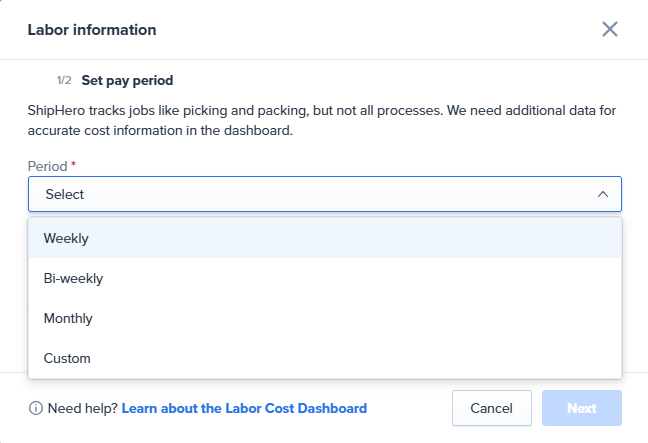
📊 More flexibility = better control.
Adjust the analysis period to match your payroll cycles or planning needs and gain a more accurate view of your team’s productivity.
ShipHero now supports USPS Scan Forms (Shipping Manifests) for all customers using our USPS Modern integration. A SCAN Form is a document with a single barcode that represents all USPS packages picked up from your warehouse on a given day.
Why it matters
How to create a manifest (manual)
Go to Orders → Manifests.
Click Create Manifest.
Select USPS Modern, choose the warehouse, and set the date (today).
Click Generate to produce the SCAN Form (PDF) and print.
Automatic nightly manifests
ShipHero also auto-generates USPS manifests at 10:00 PM local time for each warehouse.
You can download these anytime from Orders → Manifests.
Typical workflow
Create a manual SCAN Form at pickup to cover all labels ready at that moment.
Any labels created after pickup will be included in the auto SCAN Form generated that night.
Notes:
You may see two SCAN Forms for the same day (one manual, one automatic) if more labels were created after the pickup-time manifest.
Ensure you select the correct warehouse and date to avoid gaps.
More info available here.
We've released version 0.8.6 of the Packing App.
This update includes two major improvements:
Updated apps can be downloaded from the Apps page or using the links below:
A new setting has been added to give you more control when handling short stock situations.

When enabled, orders will remain in the batch even if a location is marked as Hospital.
This allows you to continue picking and short shipping the order without removing it from the batch.
Important:
To use this setting, ensure that “Require an order to be fully picked before shipping” is turned off, as short shipping requires that option to be disabled.
The setting can be accessed from: https://app.shiphero.com/dashboard/settings/app.
We’ve added GS1 barcode support to Single Order and Single Item Batch packing.
Read more about GS1 support [here](https://software-help.shiphero.com/hc/en-us/articles/38582412303629-GS1-Barcode-Support-in-ShipHero).
How it worked before
When you duplicated a product in Shopify with the same SKU as the original, ShipHero treated both as linked under that SKU. If you later updated the SKU on the duplicate in Shopify, ShipHero also updated the original, which could unintentionally affect inventory tracking.
What’s new
ShipHero now better supports SKU changes on duplicated products:
We have made several updates to the Public API.
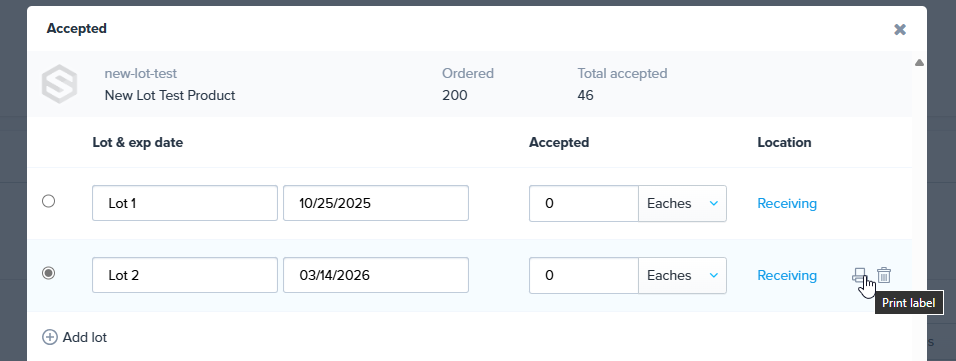
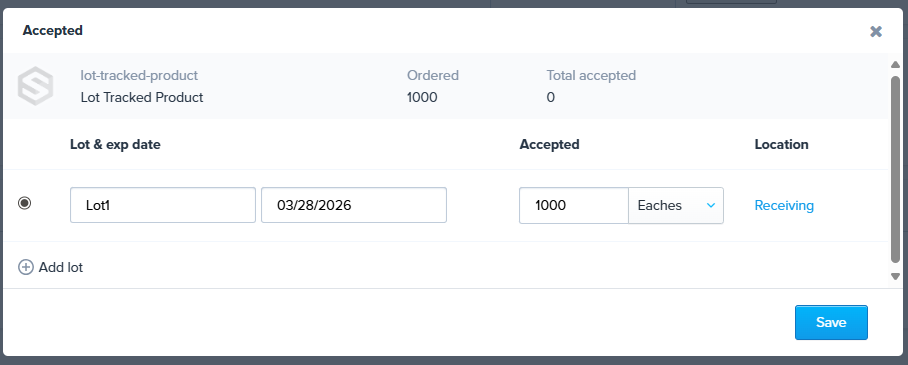
When receiving a lot-tracked product, you can now scan a location to both set it and receive the item in one step.
Previously, items defaulted to “Receiving” and the location had to be changed manually. Now, scanning any location instantly updates it and saves, removing the need to manually edit the field and hit Save.
We’re excited to announce a new Cycle Count Export feature! 🎉
You can now generate a detailed report of all cycle count activity using your selected filters — and have it delivered straight to your inbox.
How it works:
Click Export Activity from the Cycle Count page.
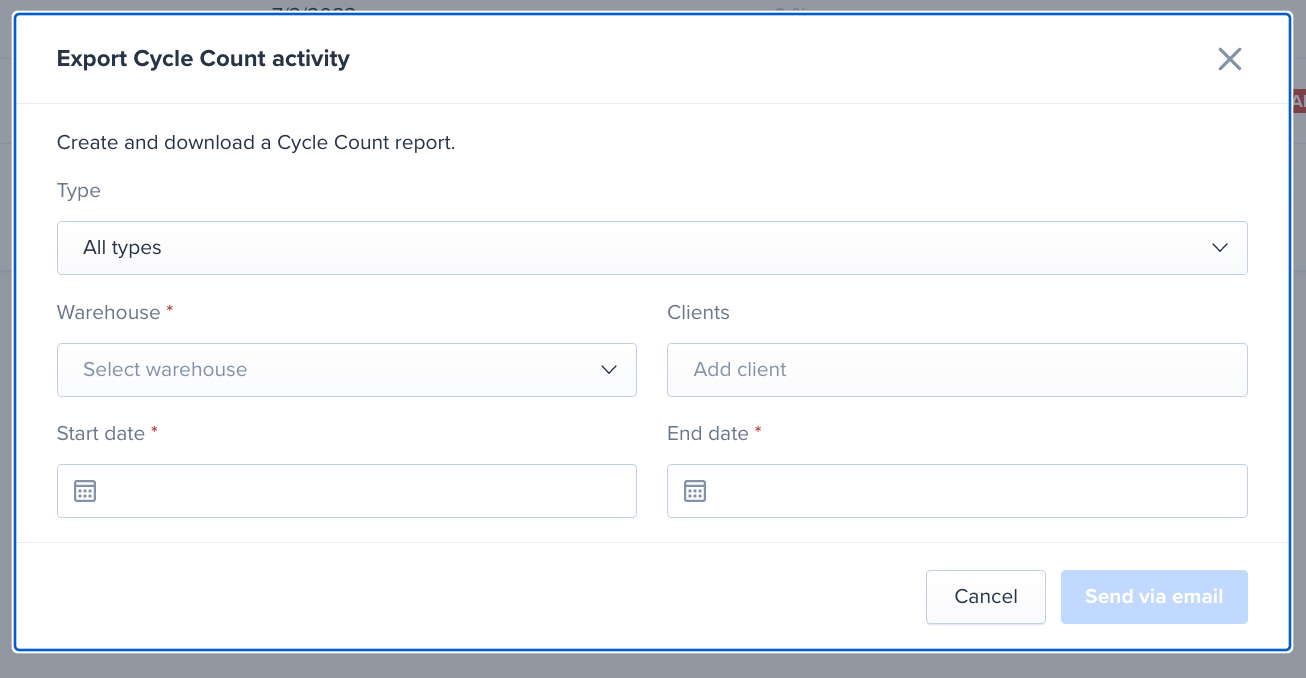
Choose your filters:
Hit Send via email and you’ll receive a report with all counts matching your criteria.
This release makes it easier than ever to pull complete, filterable cycle count history on demand.
ShipHero now transmits the required Importer Tax ID values to FedEx and UPS for international shipments to Mexico (MX), China (CN), and Brazil (BR).
This functionality was supported for Shippo, FedEx FIC, and DHL eCommerce, Asendia, and now extends to FedEx and UPS.
The Tax ID and correct Tax Type must be selected on the order page.
If you are using Shopify’s native Tax Types at checkout, ShipHero will automatically import the right values into the corresponding order fields, ensuring accuracy and compliance with carrier requirements.
We’ve rolled out an update that cuts batch generation time in half and significantly reduces extended wait times. This is already enabled for all accounts using dynamic slotting.
To save even more time when picking and reduce steps by 30% on average, click [here](https://shiphero.com/software/ai-picking/) to learn more about how you can get a free trial of AI Picking.
We’re excited to announce that ShipHero now supports UniUni as a native carrier integration in the US!
If you already have UniUni rates and credentials, you can connect your account directly in ShipHero and start shipping right away.
This expands on our existing UniUni Canada support, and ensures:
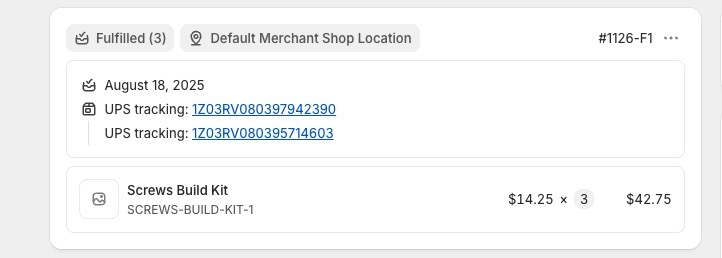
We now support sending multiple tracking numbers for a single fulfillment order on Shopify orders.
With this enhancement, if a line item is shipped in multiple packages, all tracking numbers will be synced to Shopify, giving merchants and customers clearer visibility and a better post-purchase experience.
Due to low usage and customer feedback, effective August 18th, we are removing the footer that is currently printed on shipping labels.
This is currently added to single line item packages and in bulk ship.
An example of this footer is shown below:
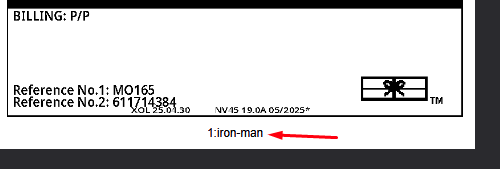
If you would like to continue to having the footer added, please reach out to support and we can enable it for your account.
We’ve added support for scanning GS1 barcodes in the mobile app and receiving workflows.
For full details as well as important information regarding barcode scanner configuration please see this help article.
We just rolled out a new webhook - `Print Barcode` - that fires anytime ShipHero needs to print a product barcode label, letting you swap in your own template instead of the default.
Where it triggers
For full details see https://developer.shiphero.com/webhooks#print-barcode-webhook.
New Functionality: Auto-Generate Recounts for Cycle Counts
We just made cycle counting smarter (and way less manual).
Introducing: Auto-Generated Recounts
When enabled, this setting automatically generates a follow-up recount if discrepancies are found during a cycle count. No more digging through reports or manually creating recount cycles — ShipHero now does it for you.
What’s included in this release:
Disruption-free: Recounts are created after the original cycle is closed, so your mobile and in-progress workflows remain untouched
Why it matters:
Want to use it? Just head to Cycle Count Settings and enable “Auto generate recounts”.
We're always working to make ShipHero more secure for you, and we've got an important update regarding passwords.
Beginning August 6th, 2025, we'll start enforcing a stronger password policy. To help protect your account, any **new or changed** passwords will need to meet these requirements:
Don't worry, your current password won't be affected by this change. This new policy will only apply when you create a new password or choose to update your existing one.
Making Security and Operations Easier
If remembering complex passwords feels daunting, consider using a password manager! These tools can generate strong, unique passwords for all your accounts and securely store them, so you only have to remember one master password. They make it much easier to meet strong password requirements by default.
We also strongly encourage you to adopt WorkforceHero. This feature allows your personnel to badge-in instead of using their email and password, streamlining their daily process. Plus, it provides you with valuable statistics to help manage your operations more effectively.
ShipHero also supports Single Sign-On (SSO) using SAML if you'd like to use you're own identify provider.
We appreciate your cooperation in keeping your account safe
There is a new setting on the Shopify store settings page:
Import orders with fulfillment holds
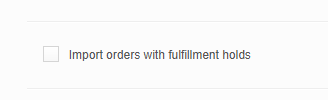
When the setting is enabled, if an order is created with a fulfillment hold (which is common with Post-purchase offers the order will be imported and a 90 minute hold will be placed on the "hold until date field" of the order. If the hold is released by Shopify during that time, the hold will be removed in ShipHero as well. If the hold is not removed by Shopify it will be released on Shiphero after 90 minutes.
If this setting is not enabled, orders containing a fulfillment hold will not be imported into ShipHero until hold is released.
We now have an API mutation and queries specifically for Work Orders:
See the schema for more details.
We’ve added Lot Number and Expiration Date fields directly to the Work Order screen.
Previously, setting these values required manual updates after the assembly was completed. Now, you can enter them upfront, as part of the work order itself.

This makes it easier to:
This is live now for all accounts.
Starting June 30th we will start enabling step-up authentication for refunds.
This will be rolled out progressively over several weeks.
For any questions or concerns or to coordinate a time to enable the feature on your account, please reach out to support.
See below for more details:
Introducing Step-Up Authentication for Enhanced Security
Managing Multi-factor Authentication (MFA) for Users
Starting June 23, 2025
In order to better represent the data in the column we will be making changes to the column header for 2 columns in the 3PL Billing Summary Export.
We will be changing:
This change will affect both the Cost Summary and the Category Summary.
There is no change to the data itself, just clearer labels.
We've made the following significant updates to the Shiphero app in Make.com to enhance its functionality, reliability, and user experience.
New Webhooks Added
To provide more granular real-time tracking and automation capabilities, we have added the following webhooks:
These new webhooks will allow for more precise and immediate reactions to critical events within your Shiphero operations.
Improved Consistency for 'Get Orders' Module
We have addressed previous issues with the 'Get Orders' module timing out, particularly for large accounts without specific filters. To ensure more consistent and reliable performance:
This change significantly reduces the load on the module, preventing timeouts and ensuring you receive timely order data. You can, of course, adjust the 'Created Date From' filter to your specific needs.
New Get Products Module (Pending Approval)
We are excited to announce the addition of the Get Products module. This module will allow you to retrieve product information directly within your Make.com scenarios.
This module is currently pending approval from the Make.com administration. We anticipate it will be available for use soon after their review.
We believe these updates will greatly improve your automation workflows and provide more control over your Shiphero data within Make.com.
Effective June 17, 2025
Beginning June 17th, we will start rolling out unified sign-on for all ShipHero web apps - app.shiphero.com, shipping.shiphero.com, and every other browser-based tool. After you authenticate once, your session will carry over seamlessly as you move between sites.
What to expect:
No impact to workflows, data, or permissions is expected - just fewer required logins. If you encounter any issues after the update, please contact support@shiphero.com.
We've released a new query in the public API for shipping containers.
See https://community.shiphero.com/t/new-query-shipping-containers/3452 for more details.
Full schema is available here: https://developer.shiphero.com/schema/.
We’re pleased to announce that we have resolved the previously identified limitation regarding Units of Measure (UOM) allocation. Our system now accurately manages inventory availability when breaking down larger UOMs into smaller units, ensuring precise real-time tracking and allocation.
What's changed:
We prioritize allocating inventory in the customer's requested Unit of Measure (UOM), such as "Eaches." If that's not possible but larger UOMs are available, the allocation logic now prioritizes::
The system dynamically selects the appropriate strategy based on these described conditions, ensuring optimal inventory allocation in every scenario.
This enhancement prevents inventory discrepancies, accurately reflects available inventory, and eliminates the previously documented potential for unexpected backorders.
Summary:
Starting on June 6th, 2025, ShipHero will now use the location Shopify assigns to every line item in an order to show the right fulfillable quantity per order line.
If Shopify routes an item to a third-party fulfillment service, ShipHero will import that line item with a fulfillable quantity of 0, so your team only picks, packs, and ships what was assigned to merchant locations—no tags, holds, or custom rules required.
What's changing?
Until now many merchants relied on [Shopify-location aware automation rules](https://software-help.shiphero.com/hc/en-us/articles/13203174606605-Using-Automation-Rules-with-Shopify-Locations), manual holds, tags, or custom statuses as work-arounds to prevent fulfillment of orders assigned to 3rd Parties. Those stop-gaps will no longer be necessary or will be redundant once the new behavior is active.
Starting June 6 2025 ShipHero will:
Read the Shopify-assigned location for every order line and set the fulfillable quantity automatically:
Why we’re changing this
Starting July 1st, 2025, Shopify will only allow apps to fulfill and notify fulfillment for items assigned to the locations it owns. Lines routed to another fulfillment service must be fulfilled by the 3rd Party Fulfillment Service it was assigned to. Updating our import and fulfillment logic ensures compliance with this rule and removes the need for manual work-arounds.
Will this affect me?
What you need to do:
If you use third party fulfillment services please review and if necessary adjust your Shopify Order Routing Rules or implement Shopify Flows so every order meant to be fulfilled in Shiphero is assigned to a ShipHero (merchant) location.
Need support on configuration? Visit [the new guide on How to configure 3rd Party Locations in Shopify to work with Shiphero or contact your CSM for guidance on the change.
Fixes and Improvements
The “total inventory value” shown at the top right corner of the screen was incorrectly calculated in the previous version because it was mixing values in different currencies. We fixed it by only displaying the value if there’s only one currency. For multiple currencies, the user must select a currency first so we can show the value corresponding to that currency.
In the case of a 3PL account, the currency selector now also lists the clients' currency.
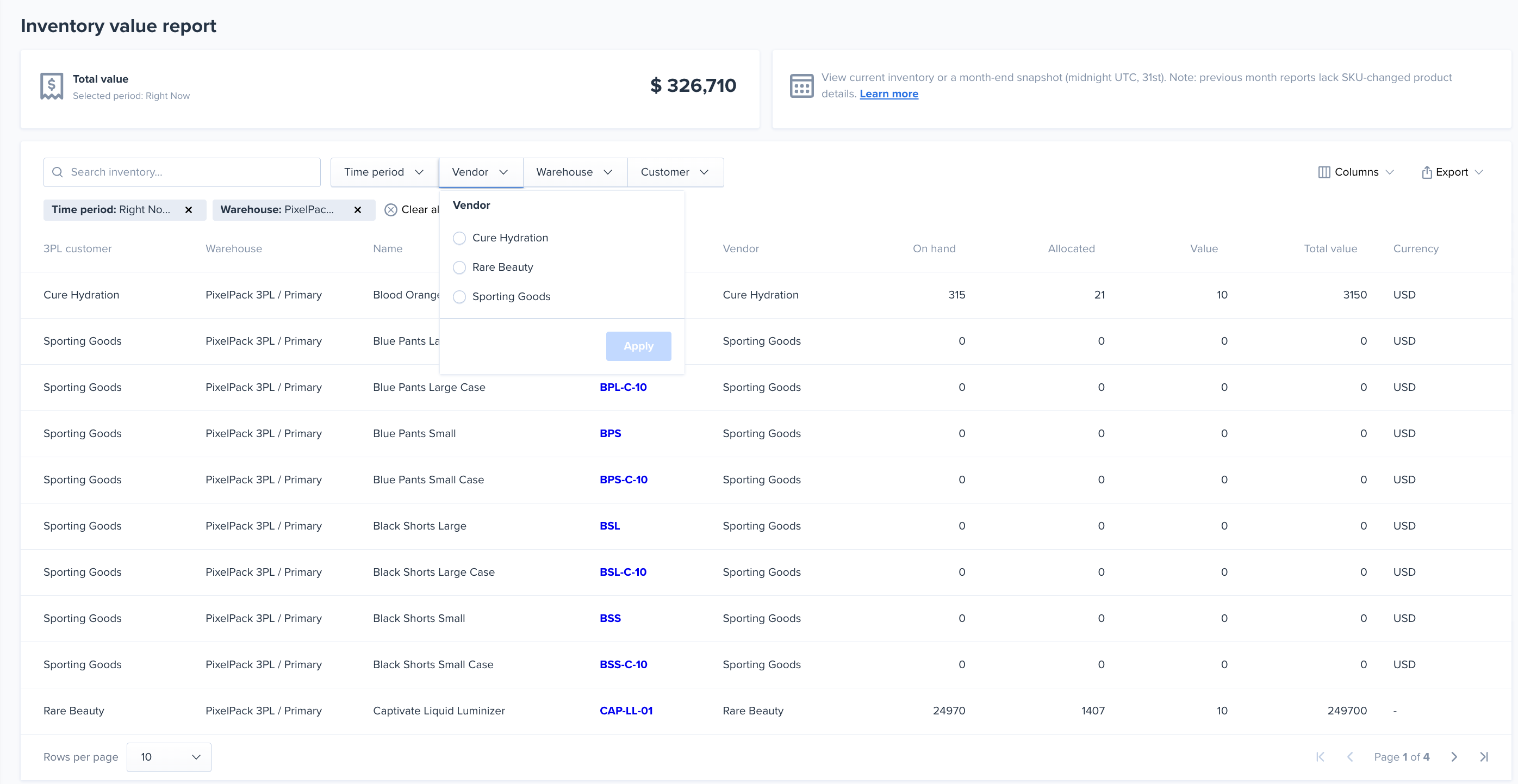
To access the new report, navigate to the reports sections of the navigation bar:
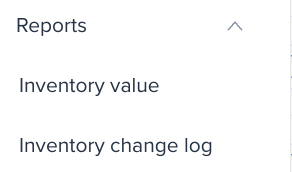
The report includes filters for the time period, vendor, warehouse, and customer (if a 3pl)
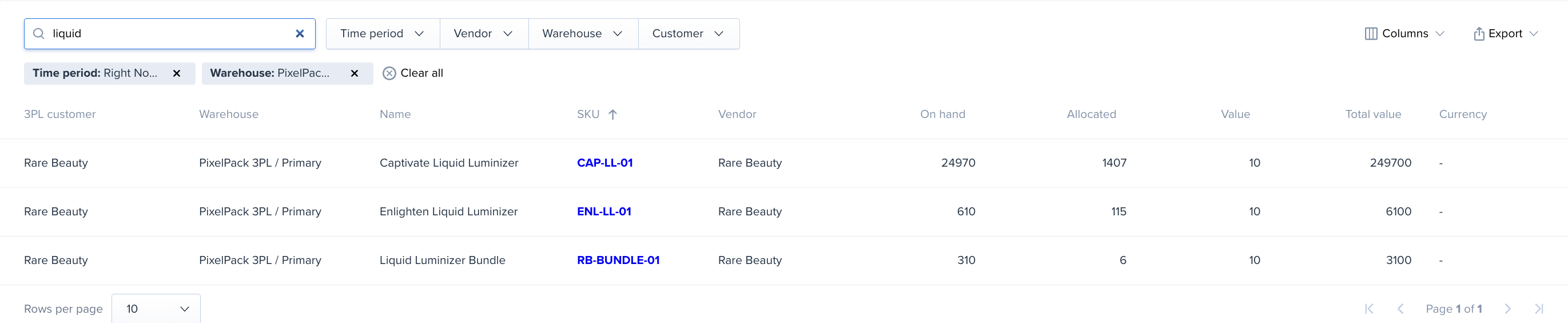
Users can search by SKU and product name:
Report can be exported via CSV
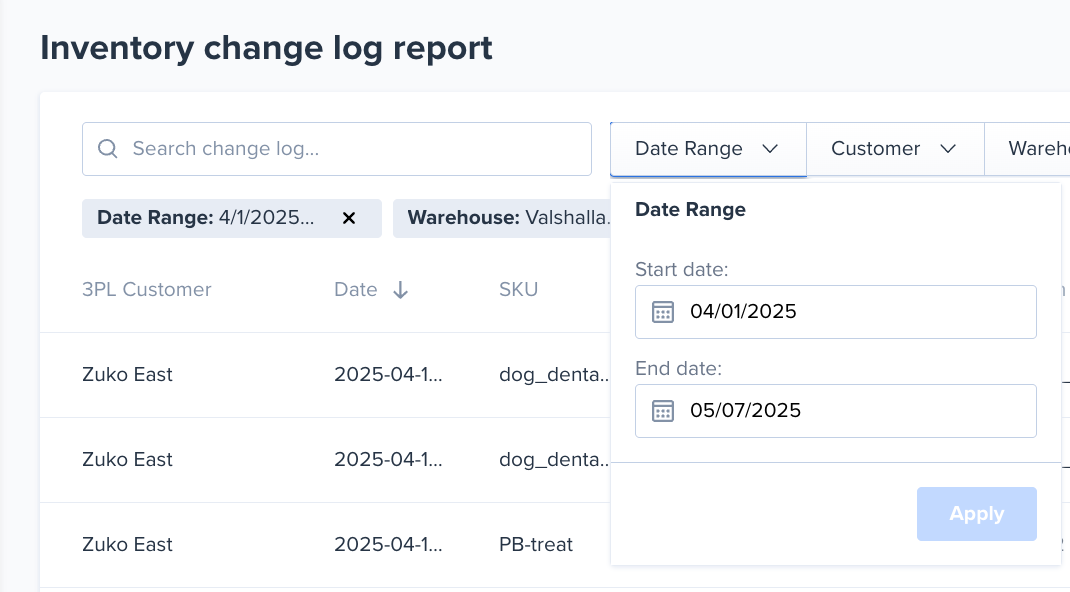
To access the new report, navigate to the reports section in the navigation bar:
The report contains filters for the date range, 3PL customer (if applicable), warehouse, and user who changed the inventory:
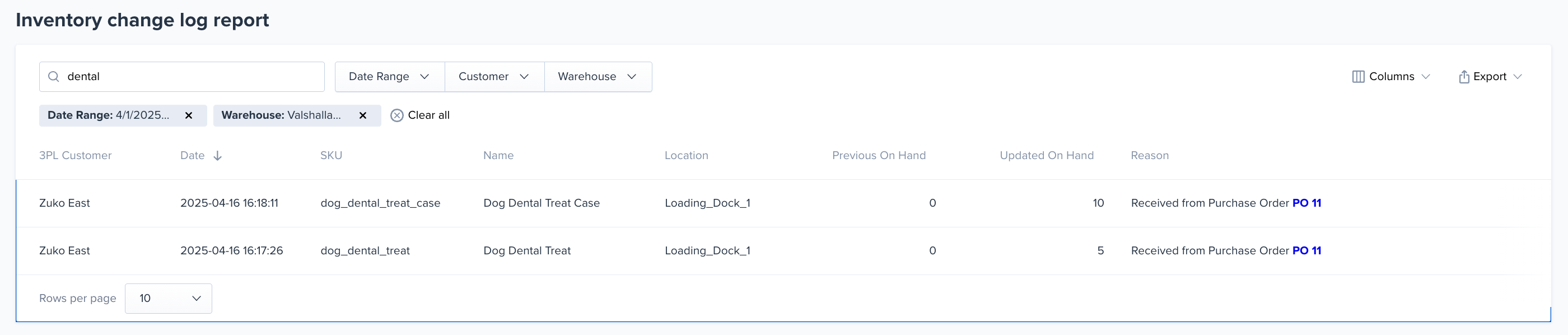
Users can search by name, SKU, reason, and lot name:
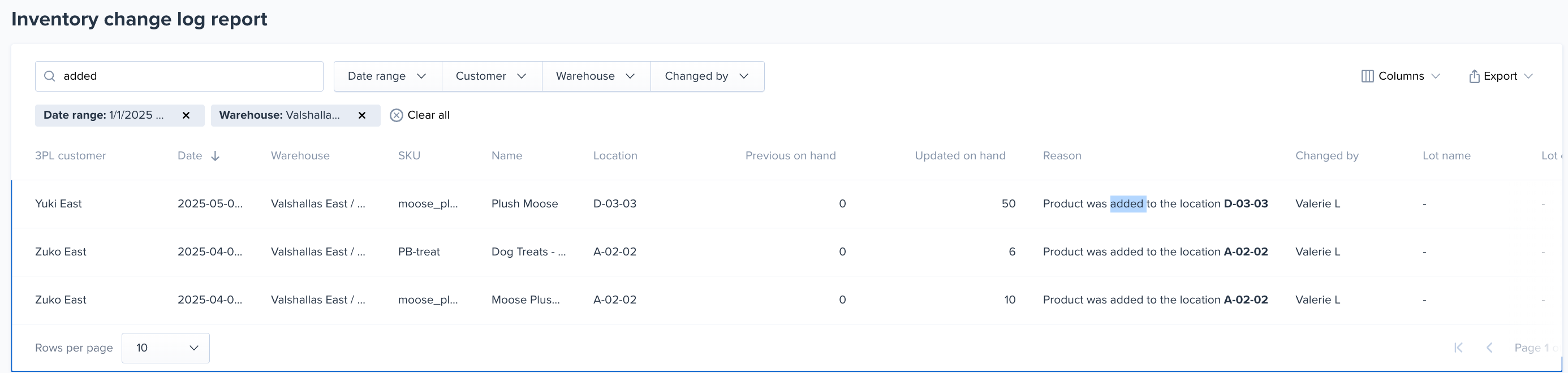
Column width can be adjusted as needed:

The report can be exported via CSV
The product location page has been migrated to the shipping dot!
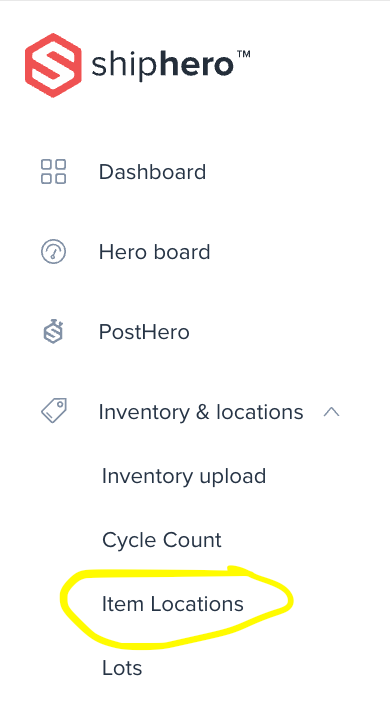
To access, you can find the page under the Inventory and Locations section in the navigation bar:
The updated UI contains all the same filters but in an enhanced UI:
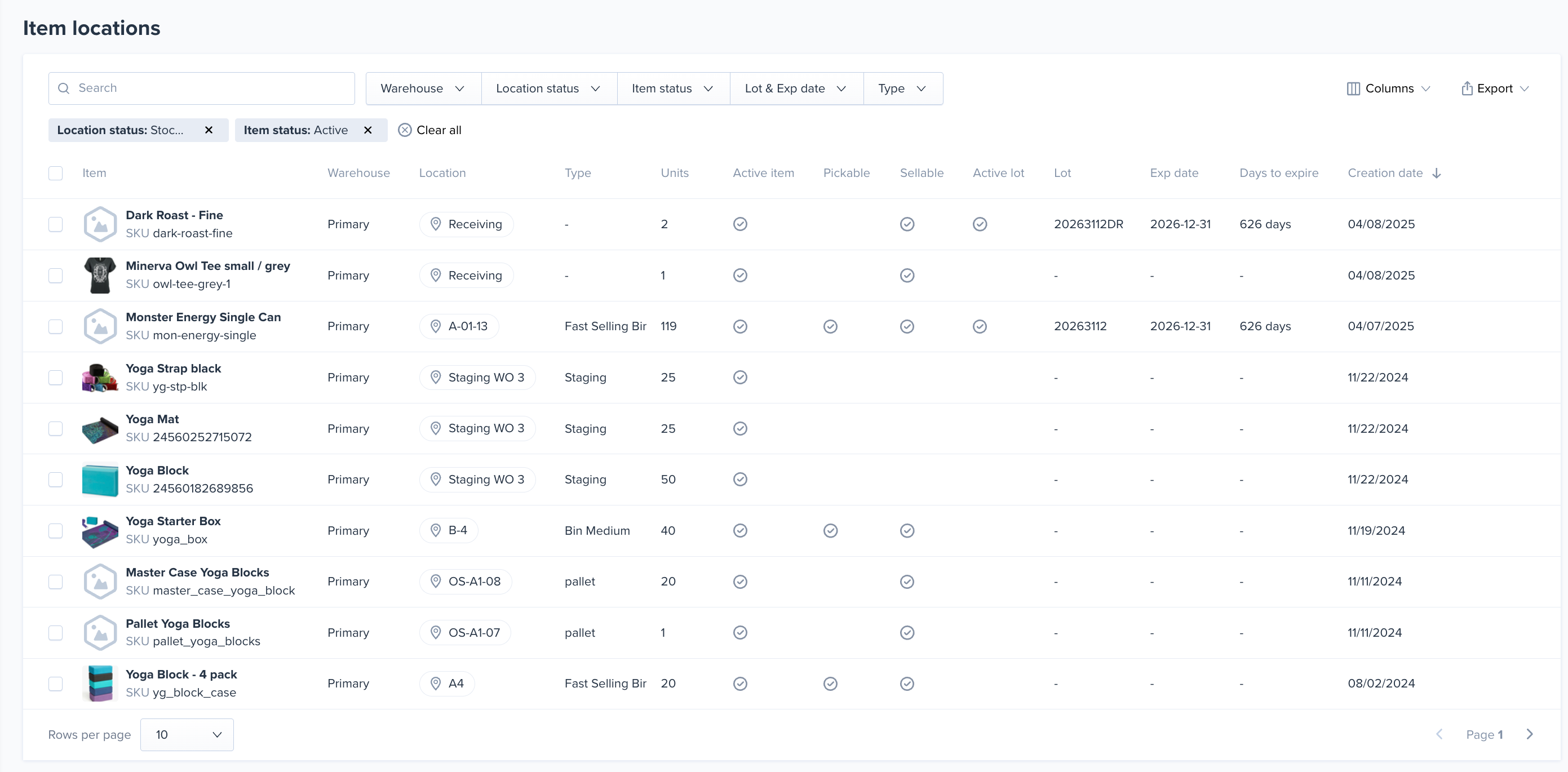
Click the edit pencil icon to update the on-hand or lot code for the location (permissions required):

.png)
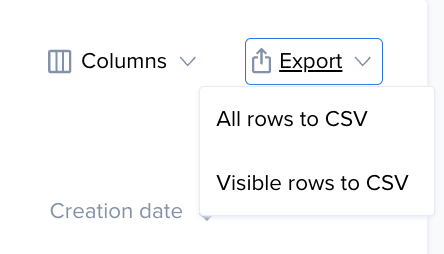
The page can be exported via a CSV:
We're excited to announce the launch of our new Unit of Measures (UOMs) feature, designed to streamline inventory handling for products sold in various packaging levels!
UOMs allow you to define nested relationships for your products, like Pallets containing Master Cases, which contain Inner Packs, which in turn contain individual Eaches.
# Key Highlights:
This feature provides greater visibility and control over inventory stored in bulk quantities. Explore the new UOM functionality today!
Knowledge Base Article
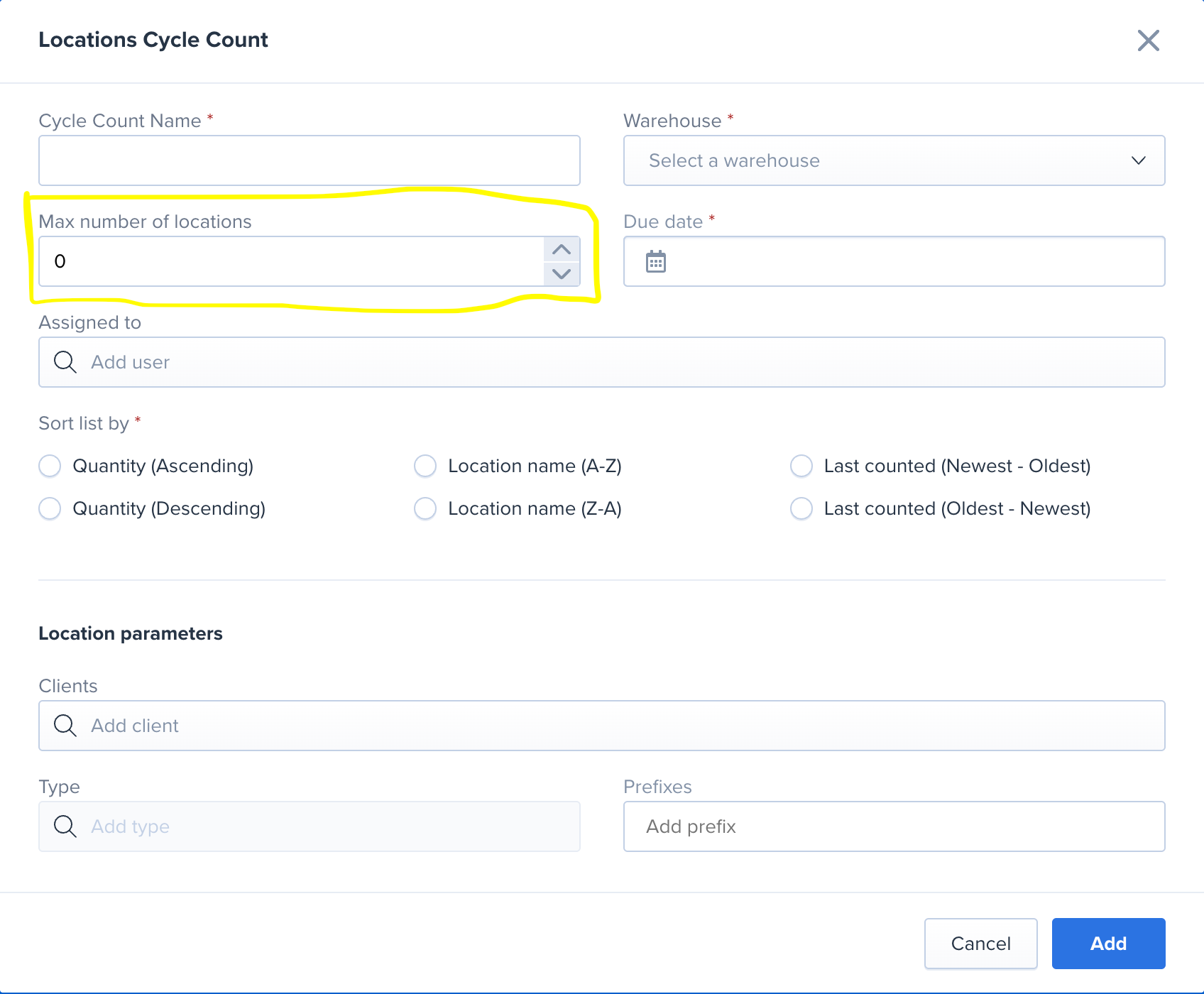
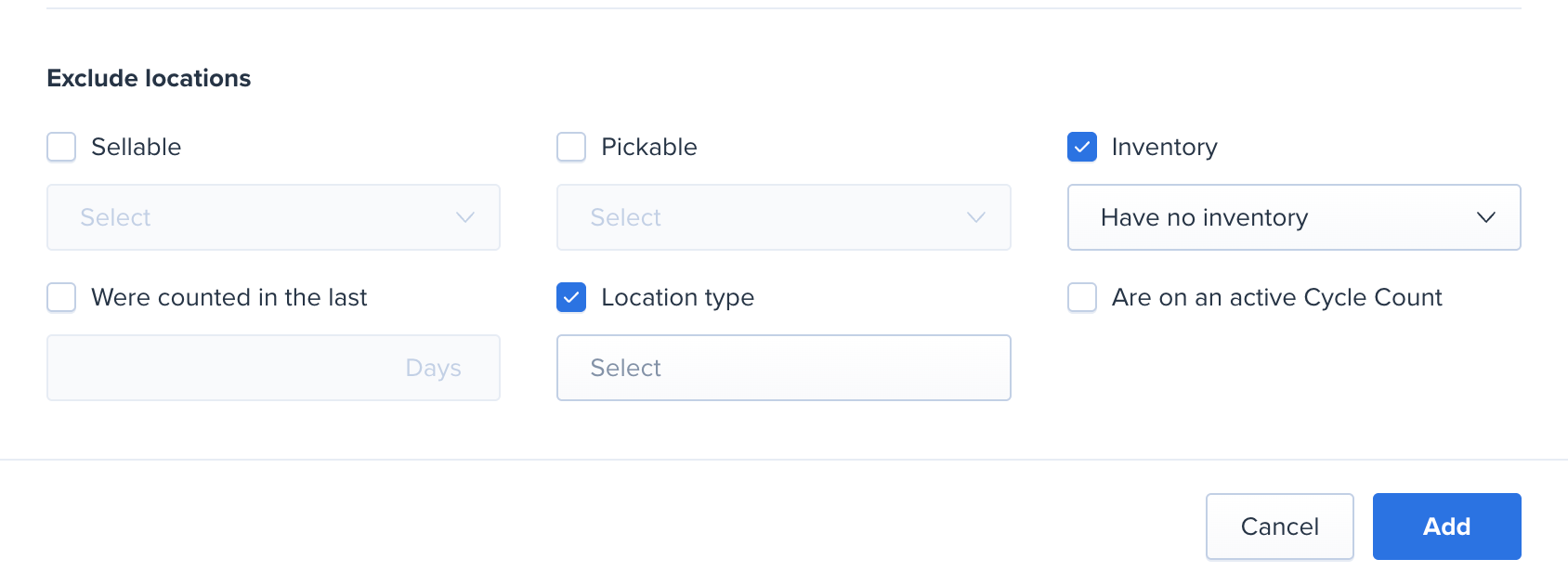
We added three new filters to the cycle count:
1. Max number of SKUs (or locations)
2. Location type exclude
3. Client filter for location cycles
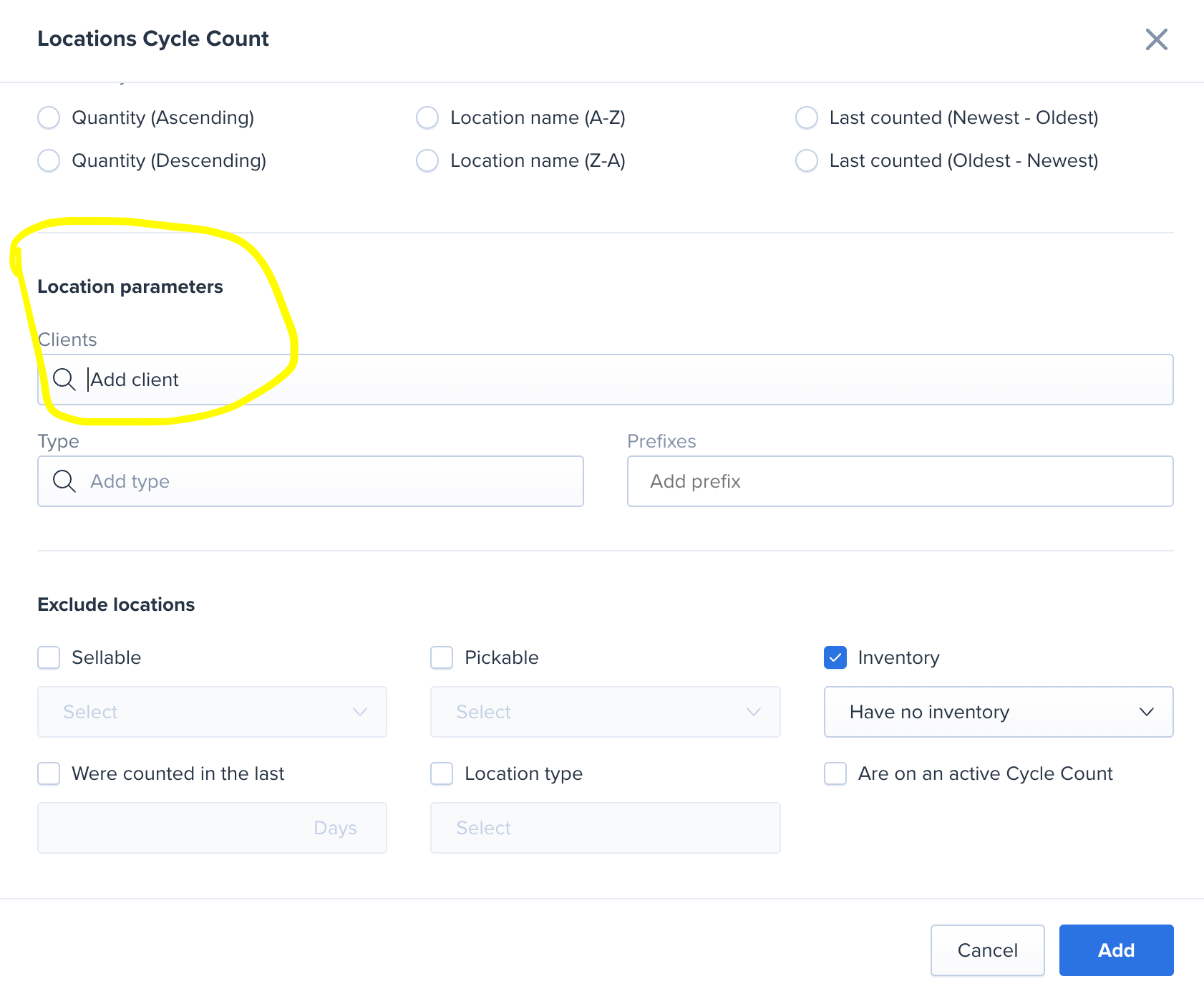
Note that if you apply the client filter to a location cycle, ShipHero will include locations that have at least one SKU assigned for that client. If the location is included, you’ll still be asked to count all items in the location (even from different clients) since the location. If you only want to count that client, please use the item cycle count instead.
You can now keep the barcode in ShipHero in sync with the barcode in your Magento store. On the setting page for the store there is a new setting:

When checked, a change to the barcode in Magento will update the barcode in ShipHero as well.
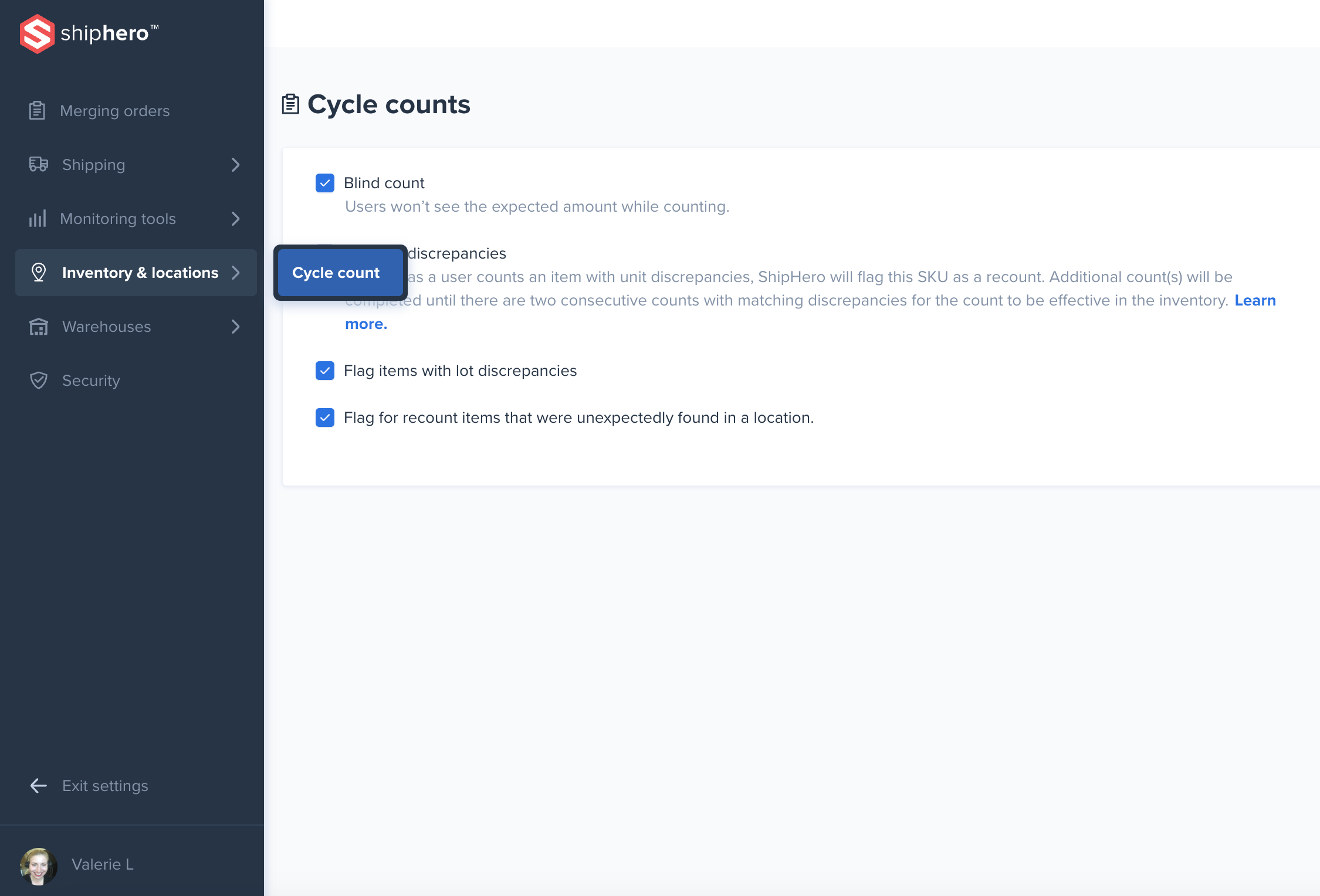
The navigation for the settings page in Shipping.ShipHero has been updated!
https://shipping.shiphero.com/settings
The settings are the same; they have a new home and an improved navigation bar. All of your previous settings are saved, no action needed.
Accessing this page is simple - select settings from the navigation bar and you will be brought to this environment.
.png)
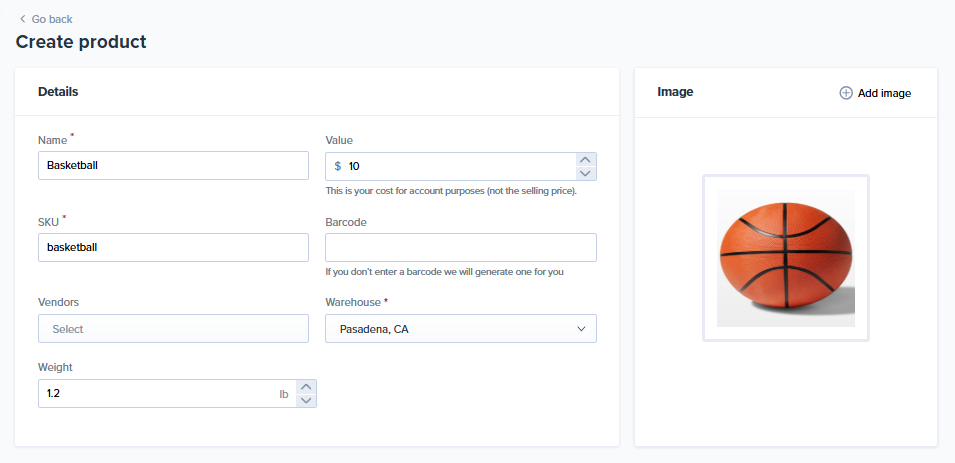
We're happy to share that 3PL's customers can now create new products directly within the 3PL Client Portal! This new feature gives them greater control over their catalog and streamlines the product onboarding process. Simply navigate to the "Products" section and use the "Create Product" button to add new items with details and images.
We now have a *separate* permission specific to the Automation Rules page

Users will now need the new permission to access the automation rules page.
All ADMIN users will have access by default
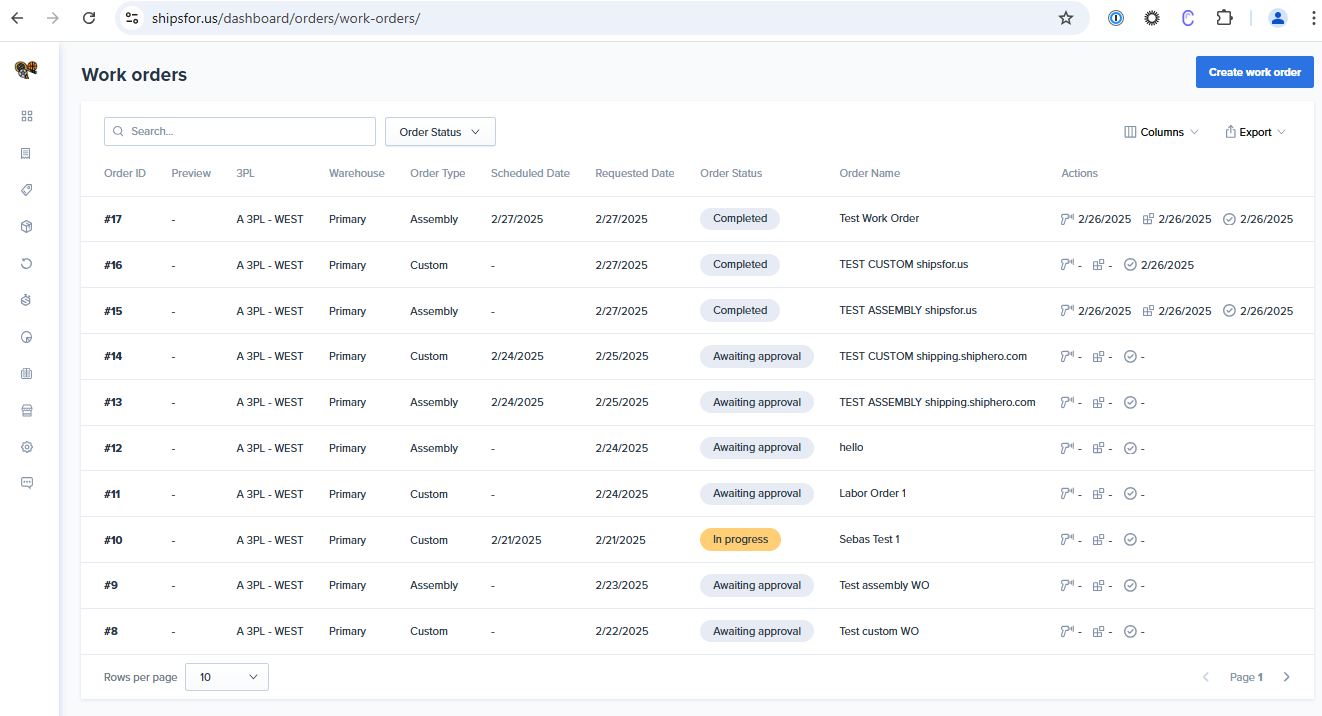
Exciting news! Work Orders has been released in the 3PL Client Portal.
A 3PL’s customer can now create both Assembly work orders (for assembling SKUs) and Custom work orders (for instructions and attachments),review them through various statuses, and easily add attachments and notes from the 3PL Client Portal.
Shopify Import:
We now automatically retrieve tax fields from Shopify for orders shipping to:
Manual Input on Orders page
It is now possible to also add these tax codes directly from the Orders page.
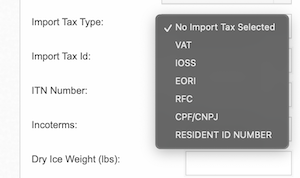
These Tax types appear on the orders page alongside VAT, IOSS, and EORI, enabling manual entry when needed.
Automation Rules
It can also be used automation rules using the action "'Set Order Tax Type and Id'" (formerly named 'Set Order VAT Registration' ) to update the value on order import.
Carriers Support
Currently there is confirmed support for automatically passing these values to the carriers:
Support on more carriers will be added in the following weeks and will be published in this changelog.
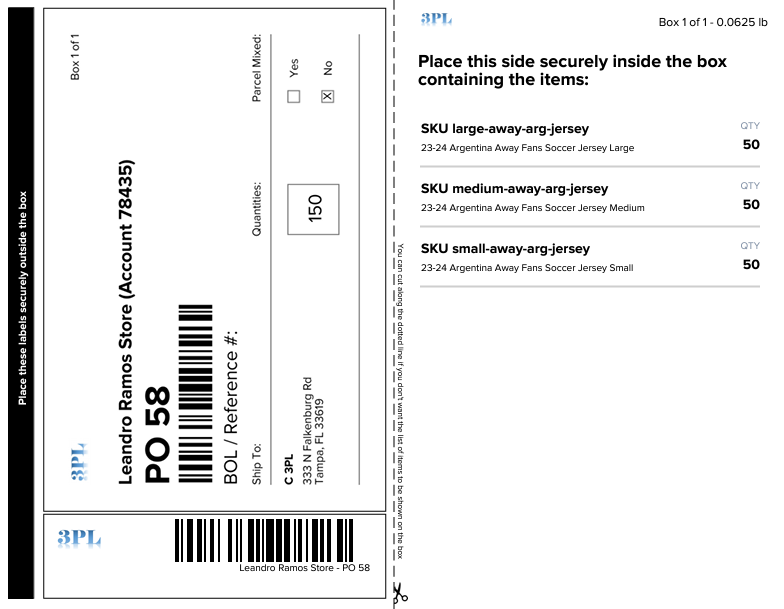
We are excited to announce a new layout for Parcels' Shipping Plan labels from 3PL Client Portal that will help streamline your receiving operations. This new design aligns with Pallets' Shipping Plan labels, providing a standardized labeling format that minimizes confusion and training requirements for your staff.
Key advantages of these new labels include:
We are introducing a new check when manually removing inventory on app.shiphero.com.
Effective immediately, if an update attempt results in a new inventory count below the quantity allocated to that bin, the system will return an error:
`Invalid Update: New quantity must be at least [allocated quantity] due to orders allocated to this location`
This ensures that the remaining inventory does not drop below what is needed for existing orders that have yet to be picked.
To better protect against unauthorized refunds and other sensitive actions, we are introducing [step-up authentication](https://auth0.com/docs/secure/multi-factor-authentication/step-up-authentication).
What is Step-Up Authentication?
Step-up authentication is a security mechanism that requires additional verification for certain high-risk or sensitive actions. While standard login credentials grant access to the system, some actions—such as issuing refunds, updating billing details, or managing user accounts—require an extra layer of authentication to ensure security. This provides enhanced protection for critical functions.
How It Works:
1. **User Logs In** – A standard login with a username and password is sufficient for general actions.
2. **Sensitive Action Triggered** – When a user attempts to perform a high-security action (e.g., issuing a refund), the system detects the need for extra verification.
3. **Additional Authentication Required** – The user is prompted to complete Multi-Factor Authentication (e.g., enter an MFA code from an authentication app or SMS).
4. **Access Granted** – Once the user successfully verifies their identity, they can proceed with the action.
This added layer of security ensures that critical actions are protected without adding unnecessary friction to everyday workflows.
How This Affects You
Starting now, when issuing a refund from the returns page, you may see a message like this:
`This action requires a higher level of authentication. Multi-Factor Authentication (MFA) is not currently enabled on this account. While you can proceed for now, MFA will soon be required for actions requiring enhanced security. Please enable MFA in your account settings to ensure uninterrupted access to these features.`
While MFA is not yet mandatory, we strongly encourage enabling it now to ensure continued access to key account functions. You can find instructions on how to enable MFA here.
Refunds are just the beginning. In the coming months, we will extend step-up authentication to other sensitive actions, such as user creation and billing changes.
Stay ahead of security requirements—enable MFA today! 🚀
If you are a 3PL, you now have 2 options to add a new customer. You can either invite them to join your 3PL or you can register them yourself
If your customer feels comfortable setting up their own account, send an invite to them directly
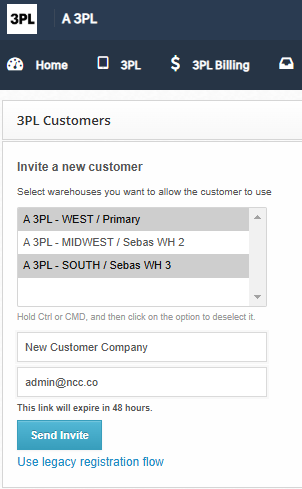
But if you want to sign up them yourself, you just need to click on ***Use legacy registration flow*** link at the bottom of the form and the registration link will show up

To go back to the invite form, just click on ***Go back to the new invitation flow*** link at the bottom.
In order to make the product search more efficient, the product search on mobile now allows you to select the fields to search.
You can select from the following fields:
Barcode scans will automatically search the barcode field.

On static slotting accounts if Bin or Overstock Bin is selected, a barcode scan will search the selected field.
This was first introduced in version 2.3.0.349.
When receiving or restocking a return if the quantity is more than expected we will show a warning message and ask for confirmation to proceed:
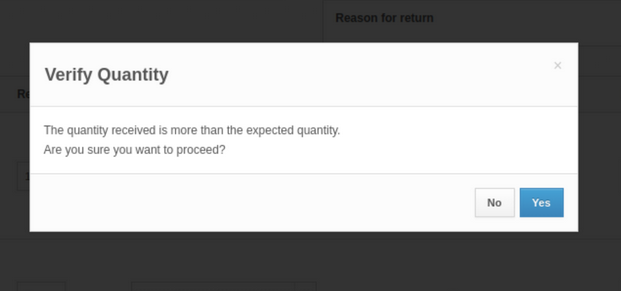
This should help prevent adding more inventory back than was expected.
The announcement in the Developer Community: https://community.shiphero.com/t/update-new-fields-for-the-inventory-snapshot/3114
These new fields will only work when sending the `new_format` boolean as true. For this to work, you will also have to reach out to support and request the flag for the new snapshot format to be activated in the account from which you will pull the snapshot.
Starting on April 1st, 2025, we will remove these 2 conditions and fully deprecate the old format in favor of the new one. This means you won’t be able to request a snapshot in the old format, and using the `new_format` boolean will be deprecated.
# New fields:
# Grouping by account ID
The new format adds a new level to the file structure in addition to the new fields described above. Inside the products field, you will find a new one enclosing the products themselves. This field returns the base64-encoded version of the account ID. For brand accounts, this will return its own ID and contain all its products, but 3PLs will now see the SKUs grouped by each child account.
Update: A new command barcode allows users to quickly switch between the WorkforceHero Kiosk and the order shipping.
Business Case: This command barcode can be used at the pack stations so packers can badge in at the kiosk and quickly return to the shipping screen.
The barcode is `sh0017` and can also be mapped to a button if you're using the packing station buttons.

Update: You can now set permissions to hide Hero Board from users who do not need access to this page
The permissions are under the Dashboard section
The announcement in the Developer Community: https://community.shiphero.com/t/update-new-filters-for-locations-query/3109
We added 3 new filters to the locations query to make finding a specific one easier and cheaper in credits:
1. `name: "string"` You can now pull them by their name. If multiple warehouses share the same naming convention, use combined with the warehouse_id to pull only one. This is not a wildcard field, the full exact name needs to be passed.
2. `pickable: boolean`
3. `sellable: boolean`
Pickable and sellable are bin attributes. You can use either or both to pull all bins that match the boolean value for that attribute
This feature is one step forward on our efforts to expand customization of the 3PL Client Portal as now a 3PL can share their contact channels information so Portal’s users can easily get in touch with them.
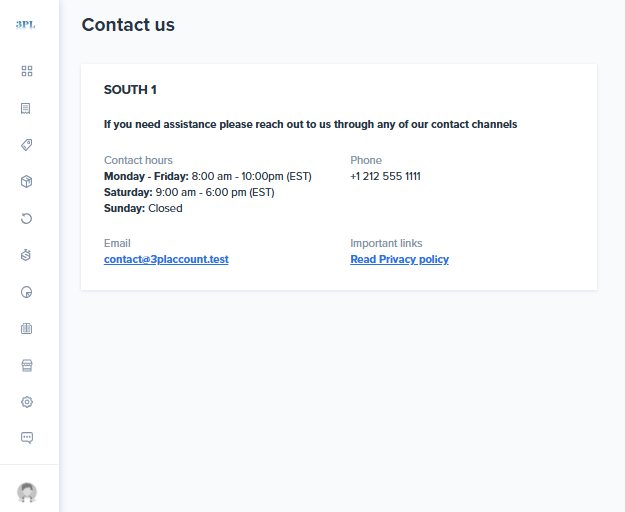
Note: Please contact your Customer Success Manager to learn on the information required to set this up.
Release Date: Thursday, Oct 31st
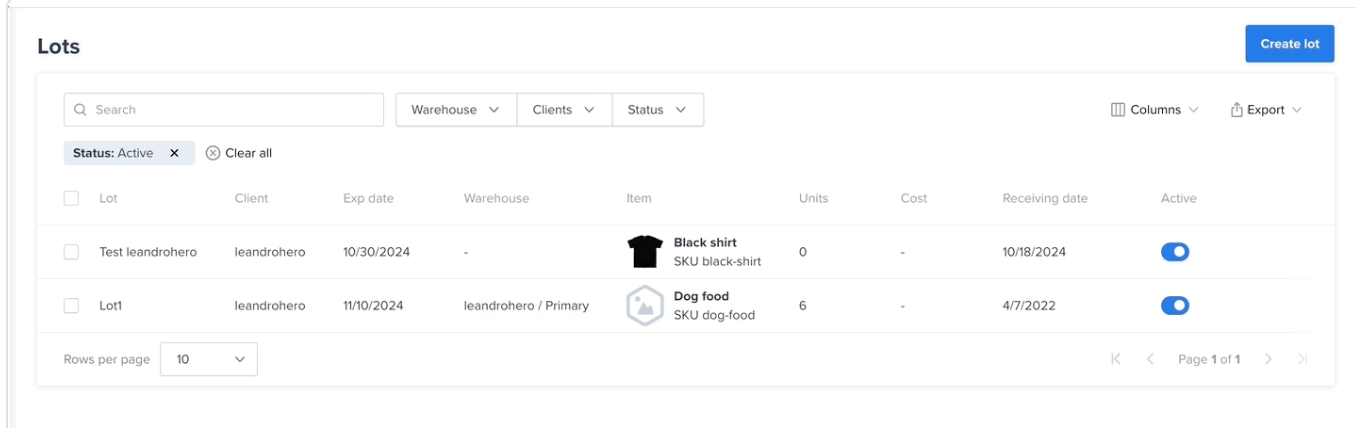
What: Lot Screen Page
Where: Shipping Dot under the Inventory and Locations section:
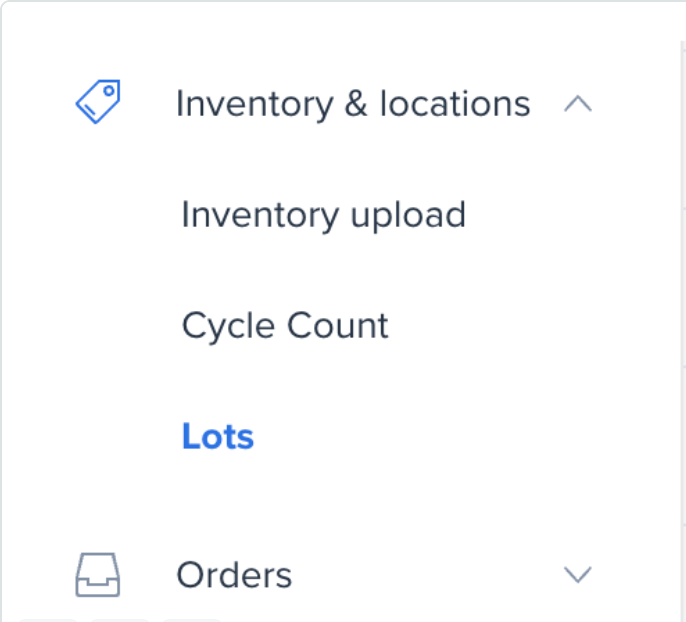
Permissions: products permission
Documentation on the new feature is available here: Help doc
We've added a new trigger for automation rules - Allocated Warehouse Count.
This trigger can be used to run rules based on the number of warehouses an order is allocated to.
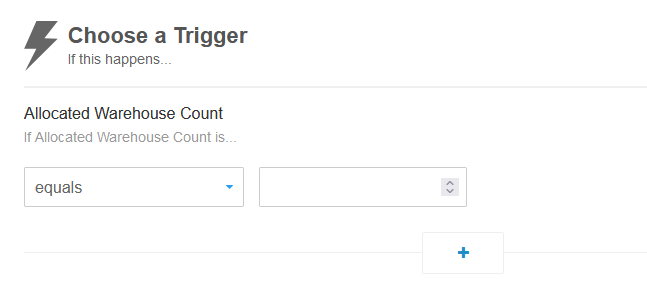
Note: For this rule to be effective, you must enable the "Only run after MWA" option.
You can now use command line arguments to login to the Packing App.
To do so, create a shortcut and use the following arguments:
`--args --email=xxxxxxxxxxxxx --password=xxxxxxxxxxx`
Combined with enabling PIN based login for the app this can be used to make it easier for packers to login without having to remember their username and password.
Version 0.7.2 is required for this functionality.
Downloads below:
With this new enhancement, a 3PL’s user can manage MWA rules on behalf of the child account.
The process is pretty simple:
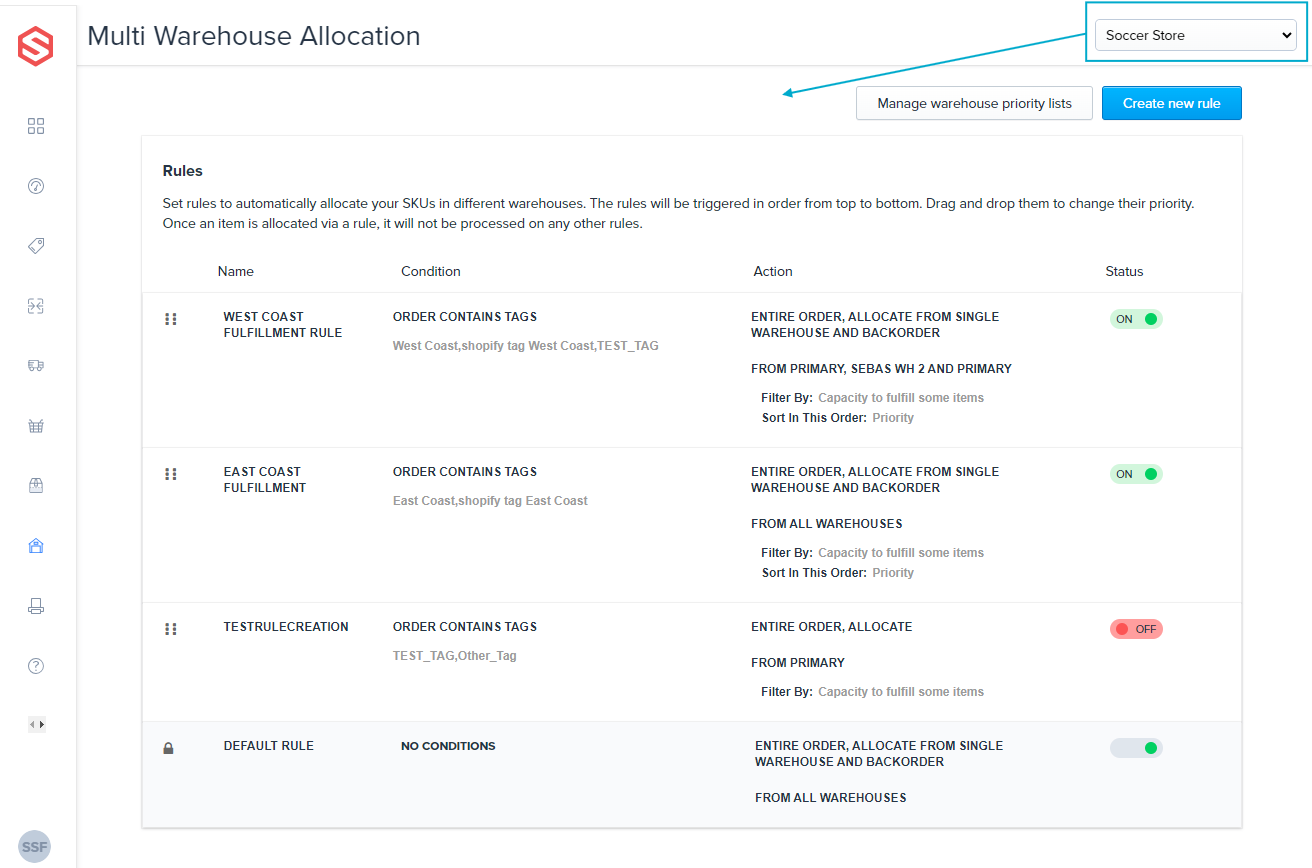
This feature is now out of Beta.
The following feature flags have been enabled sitewide:
Customers can now connect their TikTok Shipping account(s) without reaching out to support.
You can view our TikTok Knowledge Base article here.
We now support customers that have multiple TikTok Stores associated to one Merchant account.
This means that if a customer has a Store that uses Seller Shipping and a Store that uses TikTok Shipping (Subsidized Labels), they can connect both of them.
You can view our [TikTok Knowledge Base article](https://software-help.shiphero.com/hc/en-us/articles/30502058169357-How-to-Set-Up-TikTok-Shop-with-ShipHero)
that goes into more details, describing each type of store, how to verify your store, and how to connect your store in ShipHero.
You can now duplicate existing shipping container labels:
Select the labels to duplicate, and click the Duplicate button.
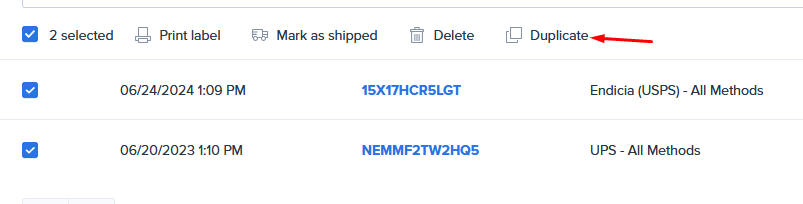
In the popup you can change the configuration and quantity to generate.
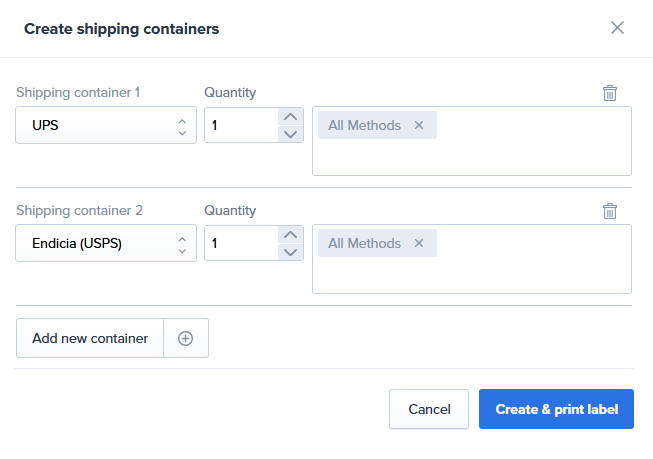
Click the "Create & print label" button to be taken to the PDF of your container labels.
The announcement in the Developer Community: https://community.shiphero.com/t/update-new-fields-for-inventory-update-webhook/3068
We added these new fields to our Inventory Update Webhook:
The announcement in the Developer Community:: https://community.shiphero.com/t/update-new-fields-and-filters-for-orders/3067
The announcement in the Developer Community: https://community.shiphero.com/t/update-order-attachments/3062
Attachments can now be added to the order using the API. They can also be queried:
The mutation won't upload the file; it will point to the URL provided, so the URL sent must be available for as long as the file is needed to be reachable.
The Shopify connection flow has been update to adhere to Shopify requirements. Now, when choosing to add a Shopify connection, a modal will appear with information and a button to Connect.
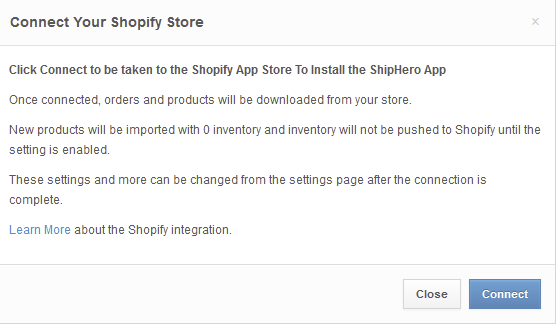
Clicking "Connect" will redirect you to the Shopify app store to complete the connection.
We're excited to announce the first phase of our instant synchronization feature.
Real-time Updates for Labor Costs
Any changes you make to labor costs, whether creating new records, updating existing ones, or deleting them, will now be reflected in your dashboard immediately. This eliminates the previous 15-minute delay, providing you with real-time data for more accurate decision-making.
This is just the first step in our plan to implement instant synchronization across all settings. Stay tuned for future updates as we continue to enhance your experience.
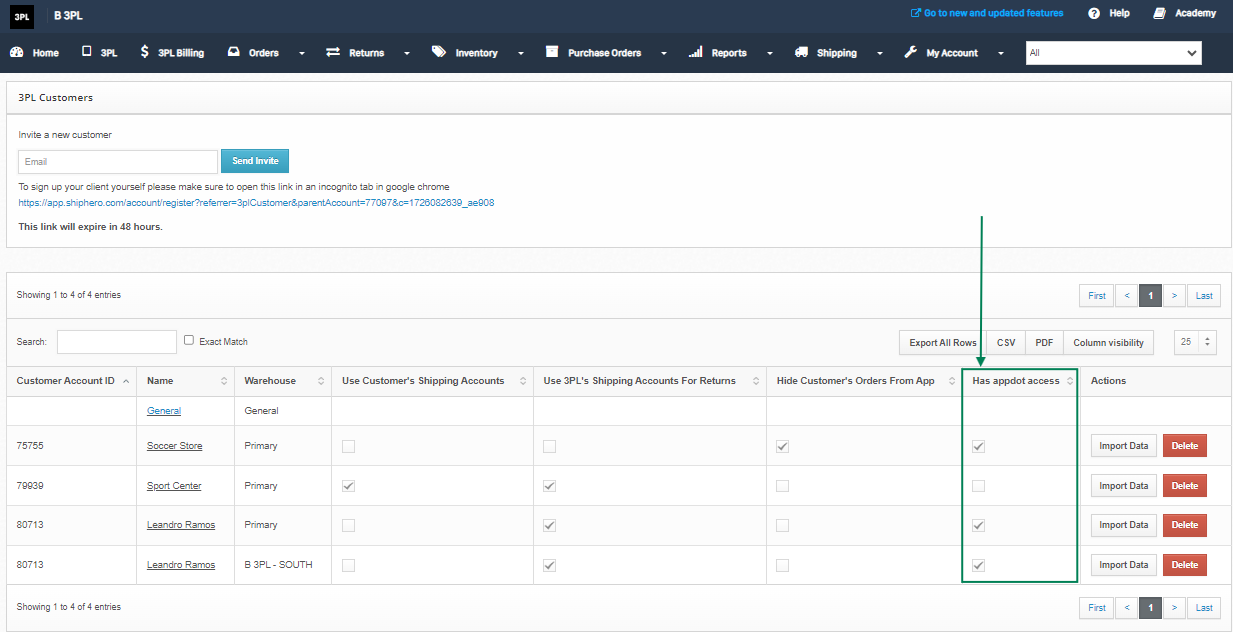
Initially implemented for new 3PL's Clients only, to have access just to the 3PL's Client Portal, now it is enable for all 3PL's Clients.
This feature allows 3PL providers to control whether their clients can access the main ShipHero platform or are directed to use the dedicated 3PL Client Portal. By blocking access to app.shiphero.com, 3PLs ensure that clients manage their operations exclusively through the 3PL's Client Portal, which is tailored for their needs.
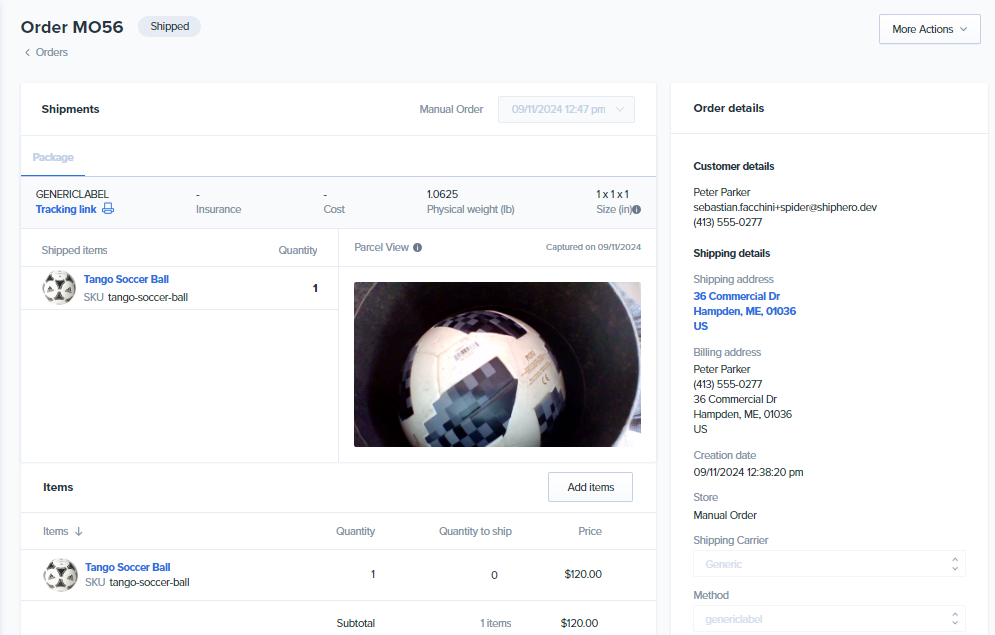
Now Parcel View feature is integrated to the 3PL's Client Portal on packed orders.
This feature in the 3PL's Client Portal allows users to view images of packed orders before they are shipped (if enabled for the 3PL).
This visual confirmation helps ensure that the correct items have been included and packed properly, providing an additional layer of quality control. This feature enhances transparency and trust between 3PL providers and their clients.
You can now easily edit warehouse costs directly from the settings page. This update addresses the needs of customers who don't collect all costs at the same time. For example, you can now enter full-time labor costs for a specific week and then add billed costs at the end of the month without having to delete and re-enter the entire week's data.

We've added additional settings to the UPS and FedEx settings page:
UPS:
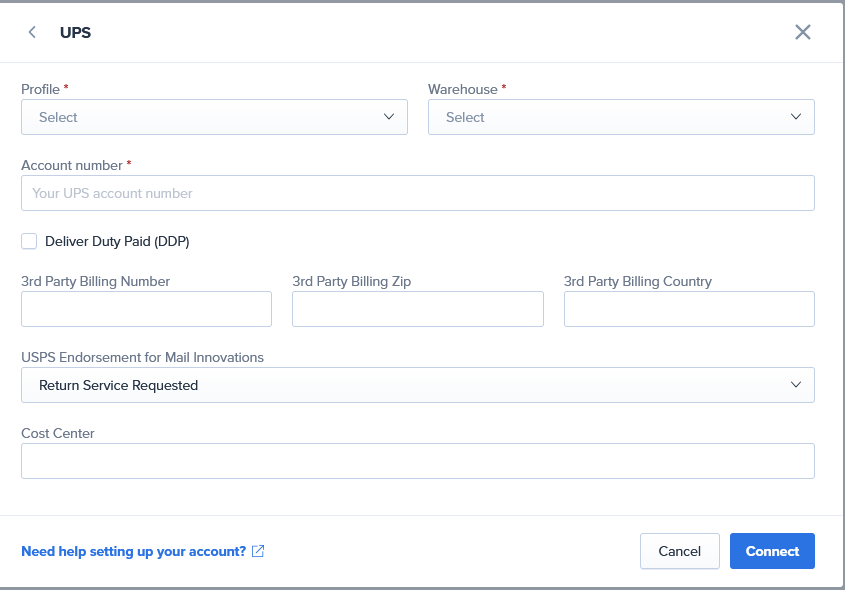
FedEx
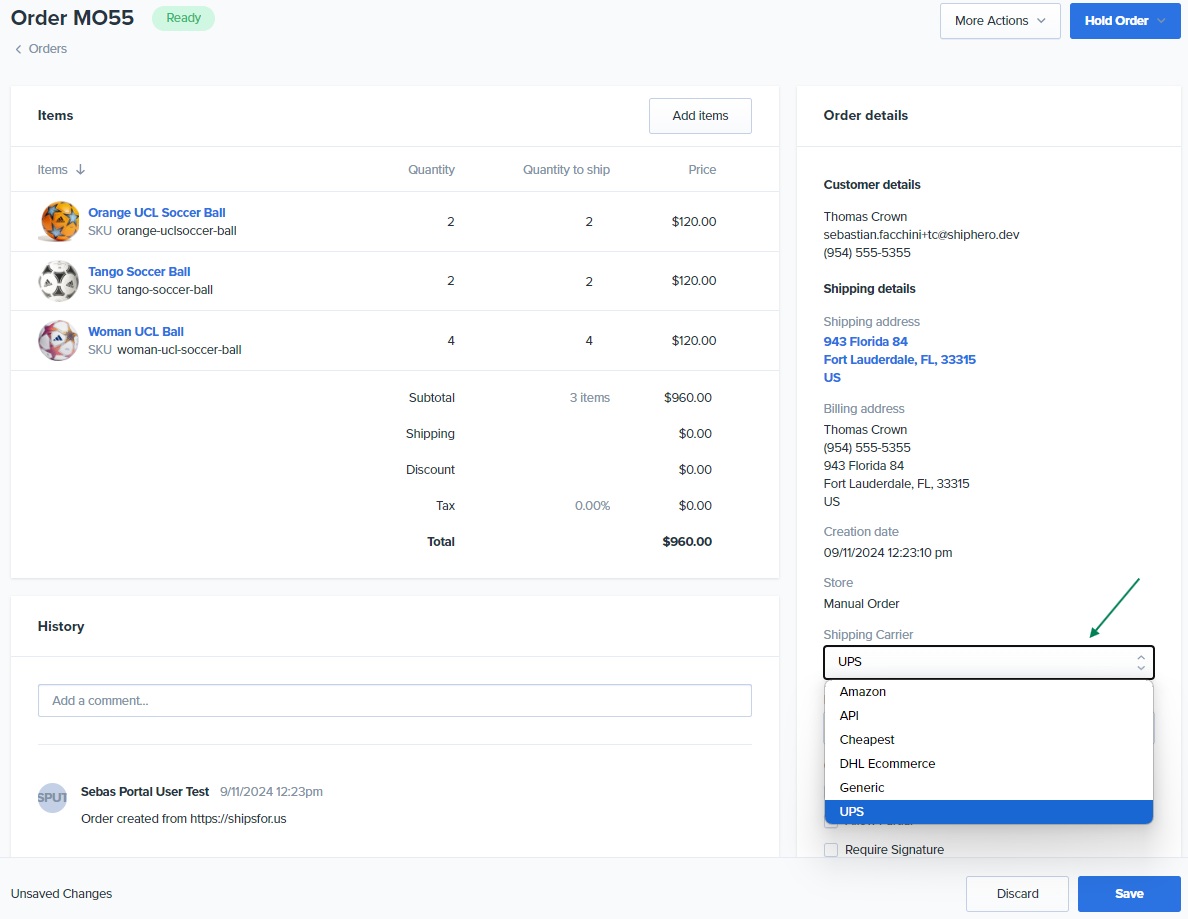
Now from the 3PL's Client Portal users can easily modify the carrier and carrier's shipping method for orders that are still pending fulfillment.
This flexibility allows 3PL clients to adjust shipping preferences based on factors like cost, delivery speed, or changes in customer requests, ensuring that the most appropriate shipping option is chosen before the order is dispatched.
We are changing inventory management for Multi-Item and Single-Item batch picking. Inventory will be deducted immediately when items are picked into a tote rather than after shipping.
Learn more here.
What's New
Benefits
User Action Required
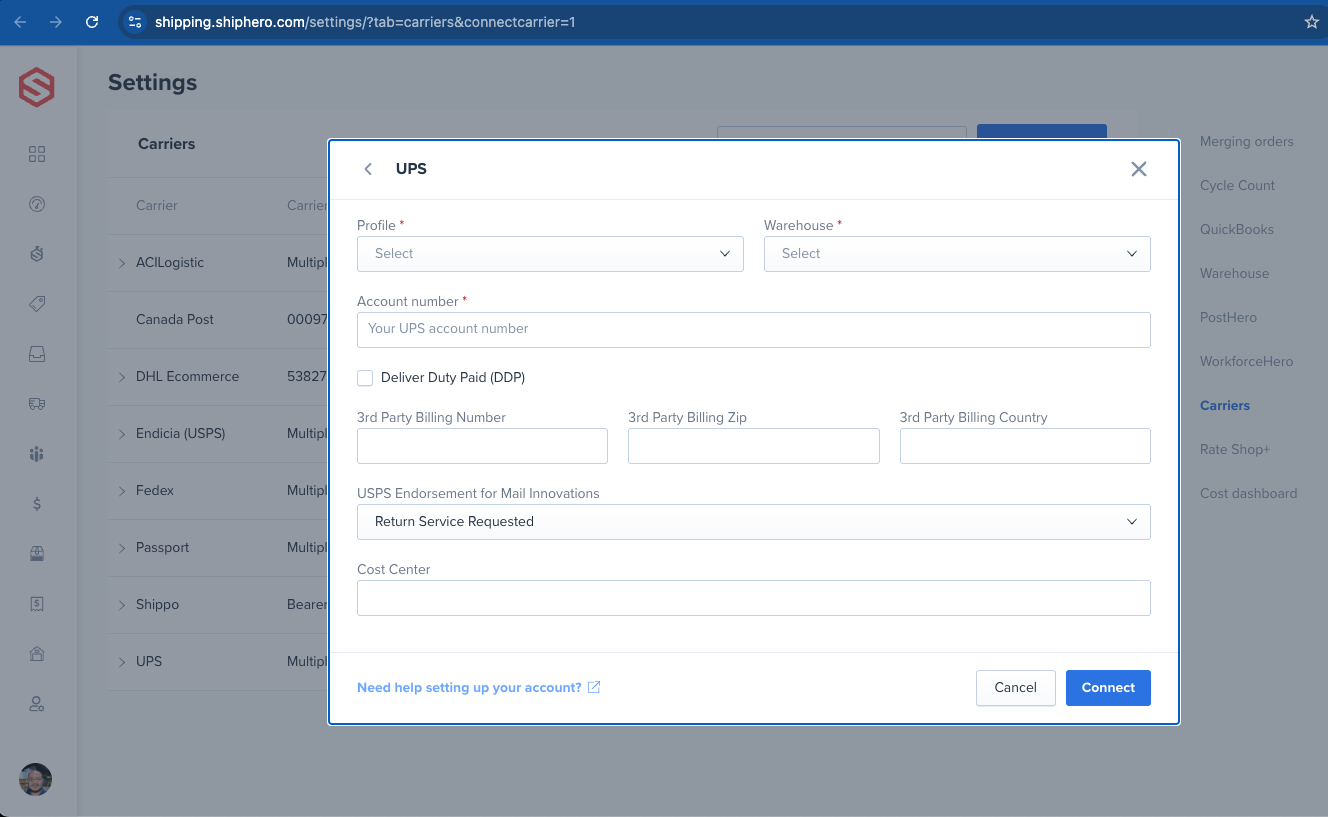
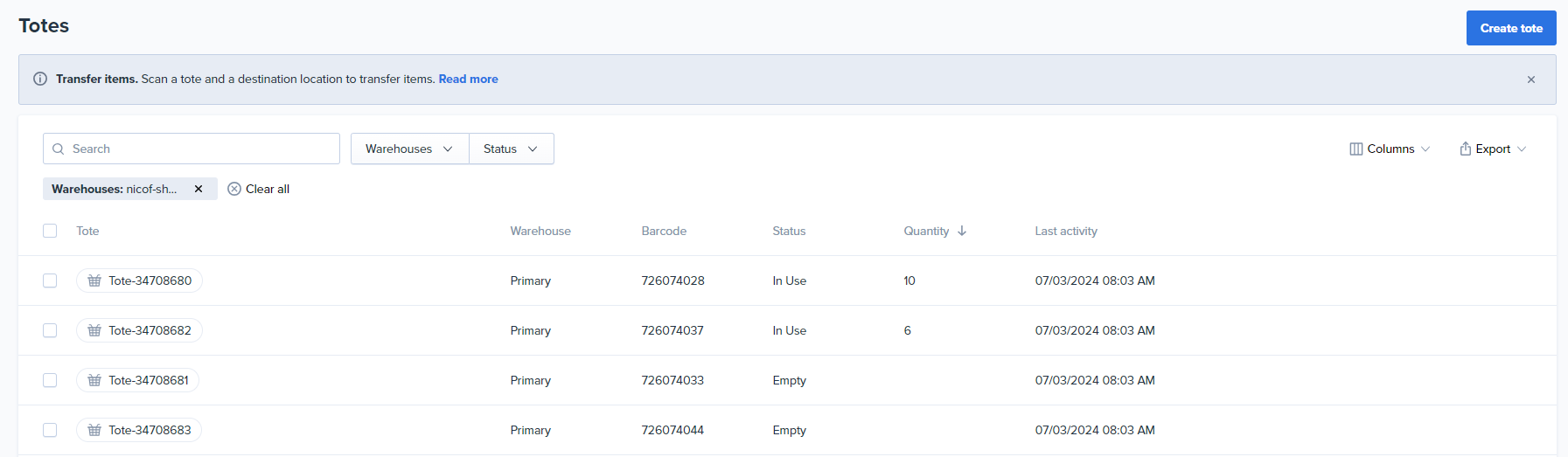
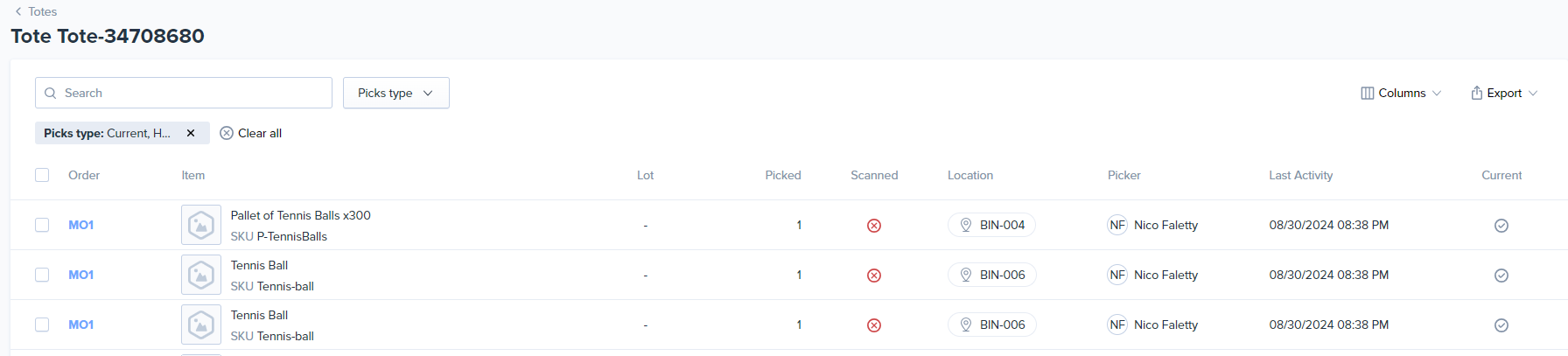
We're happy to announce the launch of our all-new Totes page, replacing the previous shippingdot tote transfer page. This exciting update streamlines your tote management workflow and provides a wealth of new features, all accessible through the same familiar URL: https://shipping.shiphero.com/orders/totes/. The core transfer functionality remains unchanged, but now you can leverage the following enhancements:
Bulk Actions: Print barcodes for multiple totes, clear contents, or delete totes in bulk.
PDF Barcode Printing: Generate tote barcodes in a convenient PDF format for easy printing.
Up-to-date Information: Gain instant insights with the displayed last activity time/date and current unit count for each tote.
Historical Data: Dive deeper into tote movements with the tote detail page showcasing the last 50 picks associated with each tote.
Tote List
Tote Details
New Tote Permissions
Benefit from improved security measures with granular permission controls:
Please review your role permissions and manually add the necessary permissions to grant users the appropriate access to tote-related functions. We believe these enhancements will provide a more secure and flexible experience for managing your totes.
We believe this revamped Totes page will significantly improve your efficiency in managing tote inventory and movements. Enjoy the simplified workflow and enhanced visibility!
We're excited to announce a new feature that provides deeper insights into your data.
Line Item and Unit Statistics
You now have the flexibility to view statistics by line item or unit.

Key benefits:
We believe this new feature will enable you to uncover valuable insights and make your operations more efficient.
We're pleased to announce a new feature that enhances your ability to work with data.
CSV Export for Tables
You can now easily export the contents of any table within the Labor Cost Dashboard to a CSV file. This feature is conveniently located in the top right corner of each table.

Key benefits:
We hope this new feature simplifies your workflow and provides you with even more value from the dashboard.
We're excited to announce a new update that brings some enhancements to your calendar and filtering experience.
Hover Preview for Calendar Days
Now, as you navigate the calendar and hover over specific days, you'll see a preview of what will be selected when you click. This visual cue helps you make more informed selections and avoid accidental clicks.
Global "Client" Filter
We've moved the "Client" filter to the top of the page and made it a global filter, similar to the warehouse and date filters. This means that applying the client filter will update the entire dashboard to display data only related to those specific clients across all widgets.
Sticky Header
The header, which includes all your applied filters, is now fixed at the top of the page. This ensures that your filters remain visible and accessible as you scroll through the dashboard.
We hope these enhancements make your experience with the **Labor Cost Dashboard** even more efficient and enjoyable. Let us know if you have any questions or feedback.
We've just launched the Labor Cost Dashboard - a game-changing tool that will transform how you understand labor costs and help you make smarter, data-driven decisions. Here's what you'll uncover:
The real deal about labor costs.
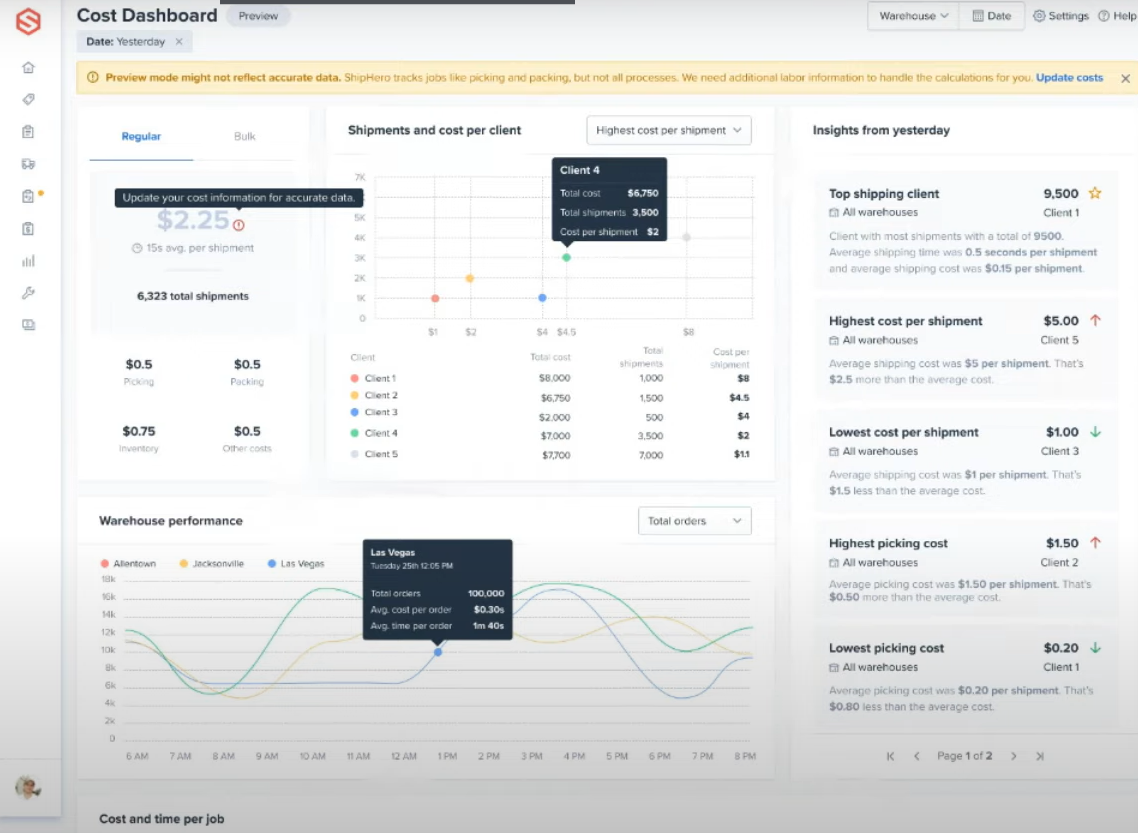
See how the Labor Cost Dashboard can significantly improve your workflows.
Check out our unveiling video now, and be the first to get your hands on the Labor Cost Dashboard!
Stay in the know with all the latest features, improvements, and fixes designed to make your fulfillment process smoother and more efficient. We’re constantly updating the Shiphero platform, and we don't want you to miss a thing!
Be sure to subscribe to our changelog and check back often to stay up-to-date with everything new.